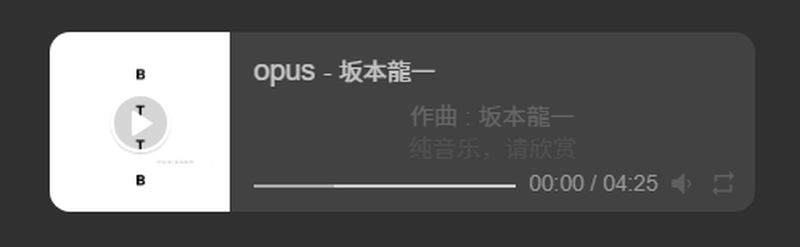
给Hugo Stack博客添加网易云音乐小组件
创建文件
layouts\partials\widget\music.html
 1
 2
 3
 4
 5
 6
 7
 8
 9
10
11
12
13
14
|
<section class="widget">
    <!-- <h2 class="widget-title">Current Mood</h2> -->

    <link rel="stylesheet" href="https://cdn.jsdelivr.net/npm/aplayer/dist/APlayer.min.css">
    <script src="https://cdn.jsdelivr.net/npm/aplayer/dist/APlayer.min.js"></script>
    <script src="https://cdn.jsdelivr.net/npm/meting@2/dist/Meting.min.js"></script>

    <div style="margin-top: 10px;">
        <meting-js server="netease" type="song" id="500014" theme="#var(--accent-color)" autoplay="ture" fixed="false"
            mini="false">
        </meting-js>
    </div>
</section>
|
在type处修改是歌单还是歌曲。
在id处修改歌曲或歌单id。
在autoplay处设置是否自动播放。
修改配色让小组件更加适配主题
在
assets\scss\custom.scss
底部添加代码
 1
 2
 3
 4
 5
 6
 7
 8
 9
10
11
12
13
14
15
16
17
18
19
20
21
22
23
24
25
26
27
|
/* --- APlayer 深色模式适配 --- */
.aplayer {
    /* 背景色:跟随主题卡片颜色 (深灰) */
    background: var(--card-background) !important;
    /* 字体颜色:跟随主题文字颜色 (浅灰) */
    color: var(--body-text-color) !important;
    /* 去掉默认的投影,让它看起来更扁平 */
    box-shadow: none !important;
    border-radius: var(--card-border-radius) !important;
}

/* 歌曲标题颜色 */
.aplayer .aplayer-info .aplayer-music .aplayer-title {
    color: var(--body-text-color) !important;
}

/* 歌手名字颜色 (稍微淡一点) */
.aplayer .aplayer-info .aplayer-music .aplayer-author {
    color: var(--secondary-text-color) !important;
}

/* 歌词区域 (如果有的话) */
.aplayer .aplayer-lrc:before,
.aplayer .aplayer-lrc:after {
    /* 去掉歌词上下的渐变遮罩,防止出现白色渐变 */
    background: none !important;
}
|
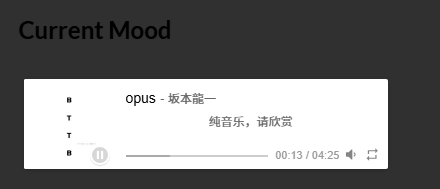
之前
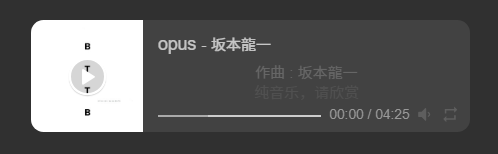
之后
做了什么改动?
-
背景变黑:background 现在会自动吸取你主题的 card-background 变量。这意味着无论你以后切回浅色模式还是保持深色模式,播放器都会自动适应,不再是死板的白色。
-
文字变白:强制让坂本龙一的名字和歌名变成适合深色背景的浅灰色。
-
去掉高光:有些默认样式带白色阴影,这行代码把它去掉了。